
Edit your storefront visually, keep every version
Arrange sections, change text, colours and spacing, and see your store change beside you on a computer or a phone. Every save is a version you can go back to, and the code is there when you want it.
- Available built and tested
- Beta built, with limits we name
- Coming soon not built yet
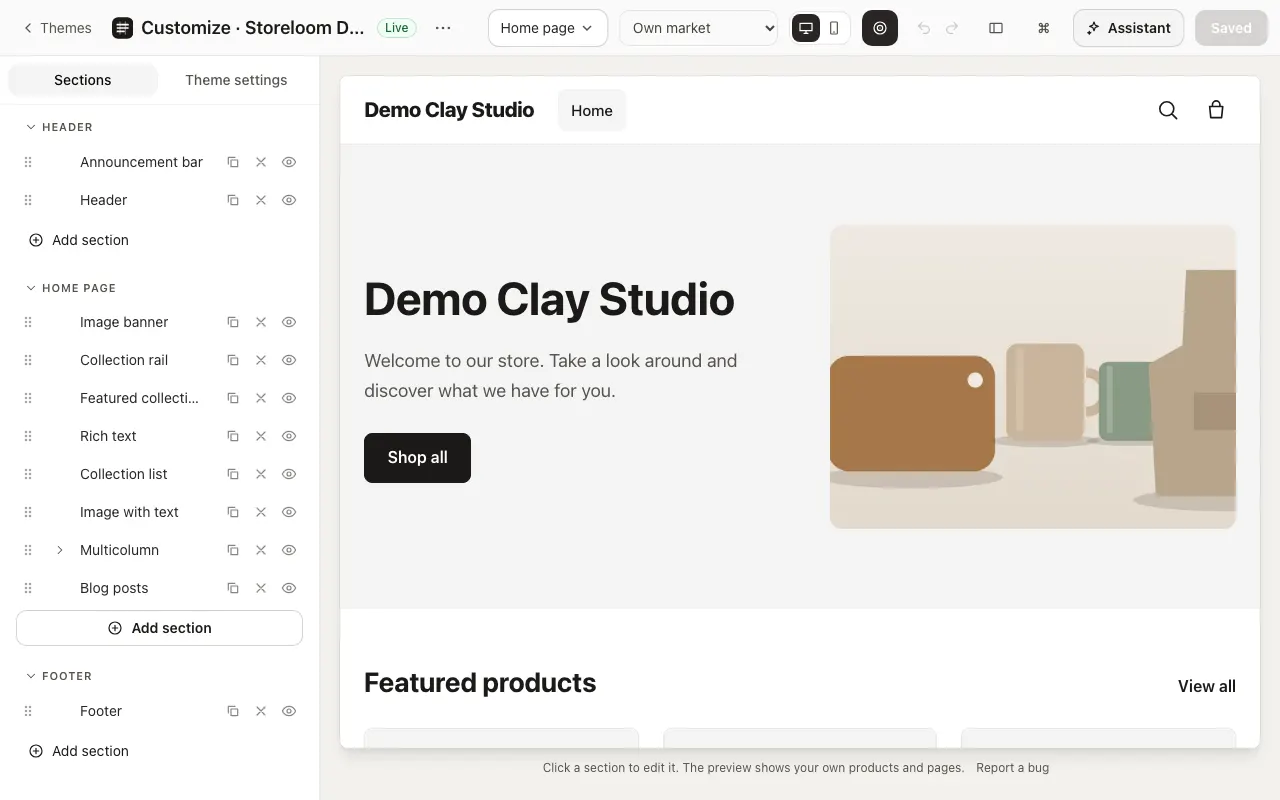
Edit beside a live preview
AvailableChoose a page, then add, drag and hide its sections and their blocks. The preview shows your store as shoppers will see it, on a computer or a phone.
- Drag sections and blocks into order
- Undo and redo while you work
- Nothing changes for shoppers until you save
In the docs: Theme editor
Sections for every kind of page
AvailableFeatured products, collection lists and tabs, pictures with product pins, videos beside the product they show, and many more, each with settings you change without code.
In the docs: Theme editor
Colours, type and spacing
AvailableColour schemes with a contrast check, text styles and sizes for the whole store, and spacing for each section, side by side.
In the docs: Theme editor
Every save is a version
AvailableEach save, by you, the assistant or an import, becomes a version, and any earlier one can be published again. A theme update keeps your edits and can be undone.
In the docs: Themes
The code, when you want it
AvailableOpen the theme’s files in a code editor with completion, problems shown as you type and help on hover. Every save is checked before it reaches your store.
In the docs: Code editor
Test a version on real visitors
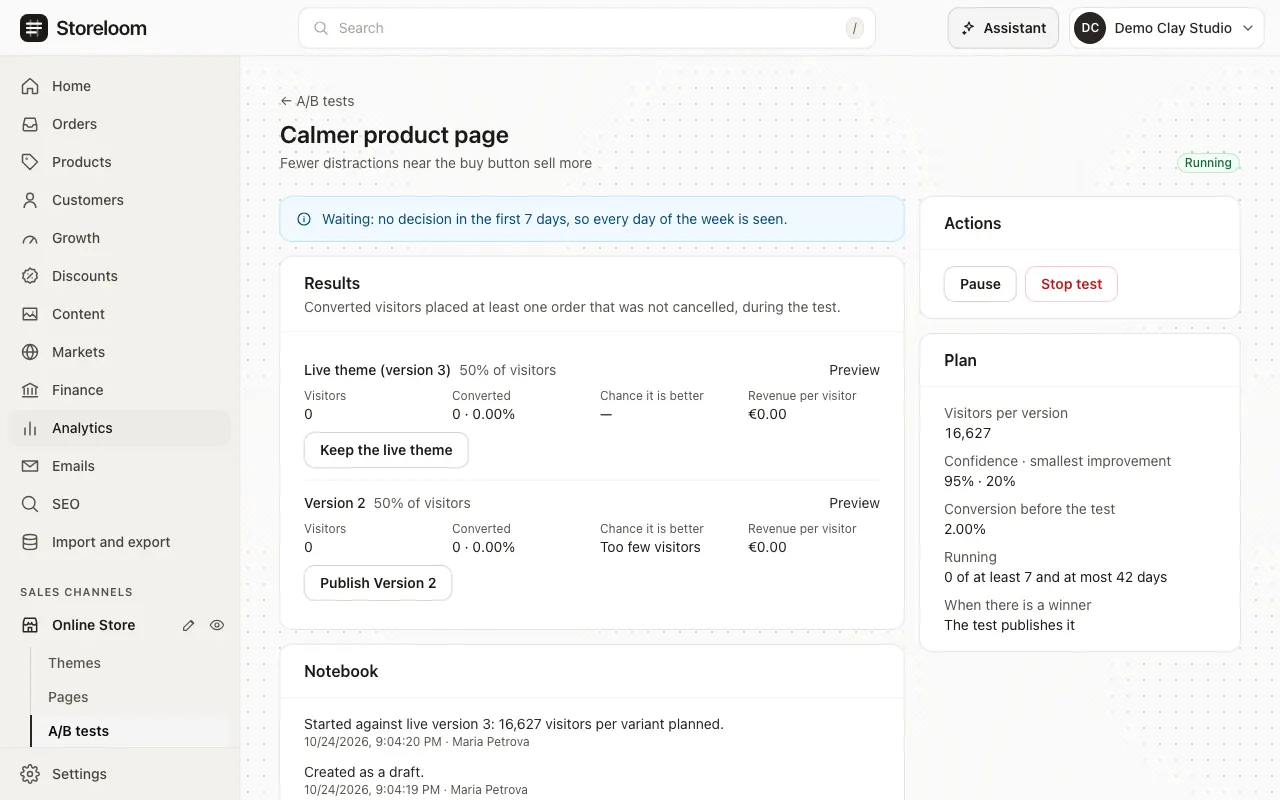
Beta: theme versions onlyShow another version of your theme to part of your visitors. The test plans how many visitors it needs, decides nothing in its first week and only calls a winner its rules can stand behind.
- Each visitor keeps one version; bots and previews are left out
- Today it tests whole theme versions
In the docs: A/B tests
Describe a store and get a design
Not built yetTelling Storeloom what you sell and getting a designed storefront to review is planned. Until then, new stores start from the default theme, which you edit visually or move over from your old site.